Content structure
Modals are a flexible component that can be used for many different types of information. In some cases, we may need to ask the user to complete two actions instead of one — in this case especially, it's crucial to make sure the information is easy to scan and digest.
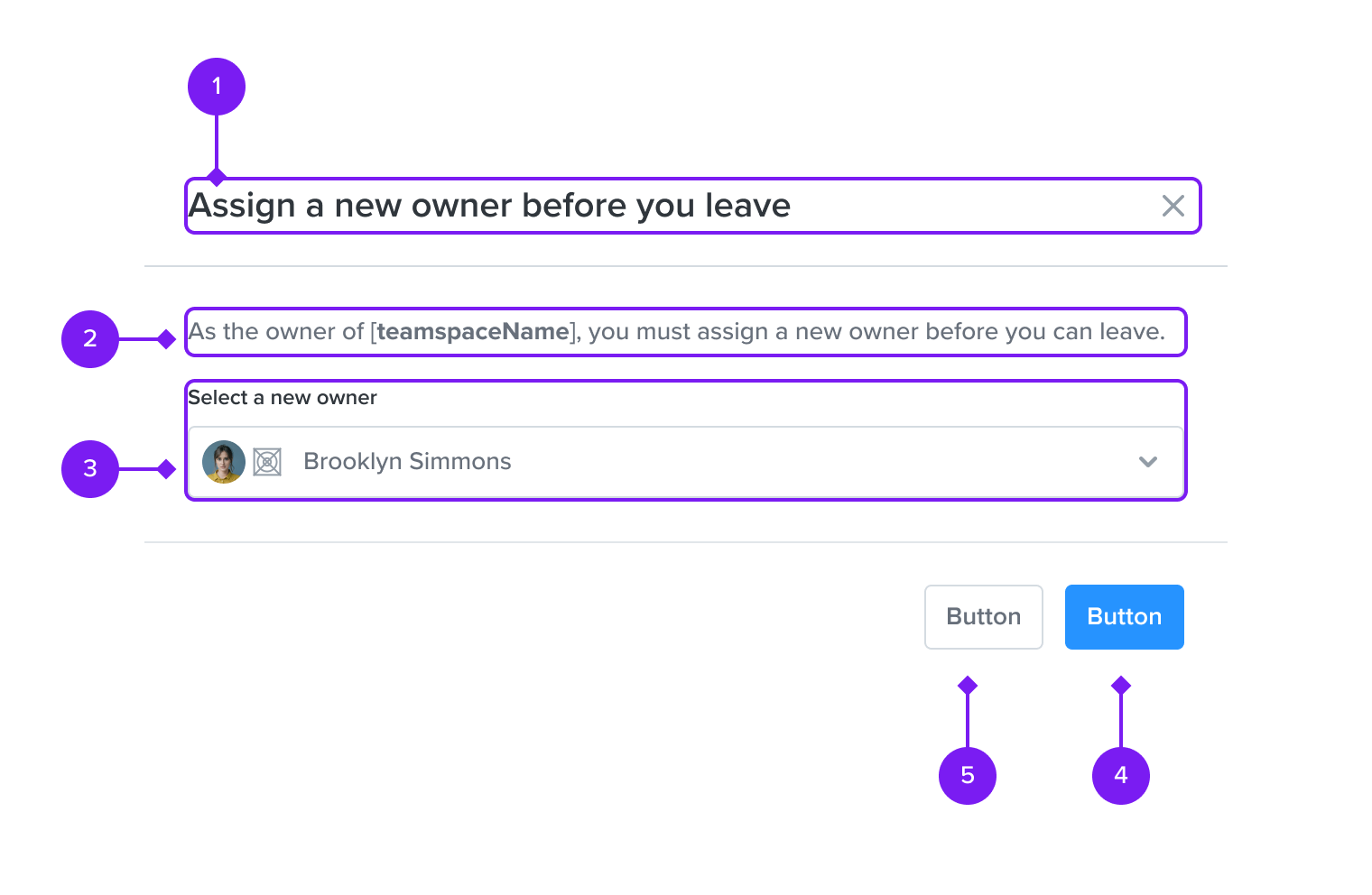
- Title: Sets the content
- Body: Expands on the info in the title.
- Body - Secondary section: Optional section for additional options, explanations, or secondary actions
- Primary CTA: The primary action the user needs to take in this modal.
- Secondary CTA: Optional secondary action.
Content guidelines
Title
Modal titles should be clear, accurate, and predictable. Always lead with a strong verb that encourages action. To provide enough context to user, use the {verb} + {noun} content formula.
The title should include the most important information the user needs to know and connect to the primary CTA button. A good rule of thumb is to read the title and primary CTA button together to make sure they make sense and give the user an overall understanding of the modal's purpose.
|
Best practice |
Do |
Don't |
|---|---|---|
|
Keep the title short |
✅ Delete this teamspace? |
🚫 Are you sure you want to delete this teamspace? |
|
Don't include user-created names |
✅ Edit this teamspace |
🚫 Edit the teamspace called Fusion Project |
|
Use sentence case, not title case |
✅ Assign a new owner? |
🚫 Assign A New Owner? |
|
Don't use punctuation (unless it's an exclamation or question |
✅ Create a new teamspace |
🚫 Create a new teamspace. |
Body
This section expands on the title to provide more detailed context to the user and let them know the options they have or the consequences of taking the action in the title.
Note: Generally, the body copy shouldn't introduce critical new information. While still important, body copy is naturally at a higher risk of being overlooked. In more complex modals, however, space constraints might make it impossible to include all important info in the title while staying concise — in these cases, bolding or a secondary section may be used to highlight critical info.
|
Best practice |
Do |
Don't |
|---|---|---|
|
Don't repeat the title |
✅ Think carefully — this can't be undone! |
🚫 Delete this teamspace? Think carefully — this can't be undone! |
|
Use bold to emphasize key info |
✅ This can't be undone. All boards will also be deleted. |
🚫 This can't be undone. All boards will also be deleted. |
|
Be concise |
✅ 2 lines is best, 3 is permissable. |
🚫 Write more than 3 lines. |
|
Keep actionability in mind |
✅ Think carefully — this can't be undone! |
🚫 This can't be undone. |
|
Include names of user-created entities to orient the user |
✅ You're about to delete [name]. |
🚫 You're about to delete this teamspace. |
Body: Secondary section
This section is optional and may not be included in simpler modals. However, some modals may need to include additional options, explanations, or secondary actions. It can be used to bring attention useful or critical information, such as when an action is destructive or a compound action is required within the same modal.
|
Best practice |
Do |
Don't |
|---|---|---|
|
Make sure the action is clear |
✅ Select a new owner. |
🚫 Select new. |
|
Make consequences clear |
✅ After changing the owner, you'll no longer be able to edit this teamspace. |
🚫 You'll no longer be able to edit this teamspace. |
CTA buttons
Primary CTA
This is the main action the user needs to take. Often they are actionable, but could also be a confirmation (such as in the case of a dialog).
|
Best practice |
Do |
Don't |
|---|---|---|
|
Clear, concise action |
✅ Leave ✅ Save changes |
🚫 Leave teamspace now 🚫 Delete this folder 🚫 Try to save changes |
|
Don't compound |
✅ Leave |
🚫 Assign new & leave |
|
Be conversational when it makes sense (i.e. dialog confirmation) |
✅ Got it |
🚫 I understand |
Secondary CTA
This button should usually allow the user to cancel the action or leave the modal. Since modals can be interruptive, we want to give the user a sense of control by allowing them to get back to the main flow.
|
Best practice |
Do |
Don't |
|---|---|---|
|
Stop action clearly |
✅ Cancel ✅ Close |
🚫 Nevermind 🚫 Leave |
|
Don't directly negate primary CTA |
✅ Cancel ✅ Close |
🚫 Don't leave |
Modal examples in Productboard
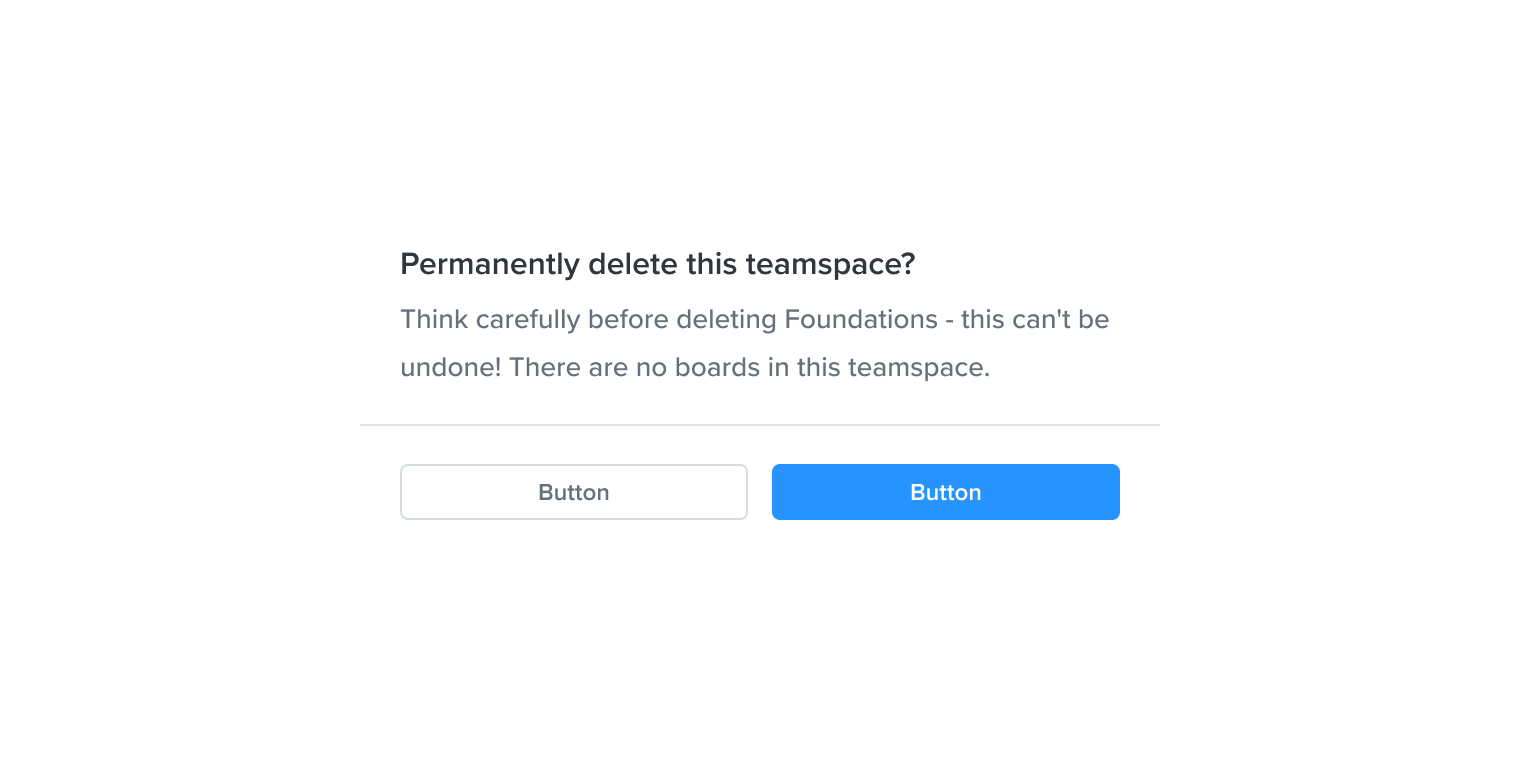
Simple modal: title + body + CTAs
Simple delete modal: clear title, body copy used to clarify action can't be undone and bolding used to highlight that there are no boards here (action less destructive).
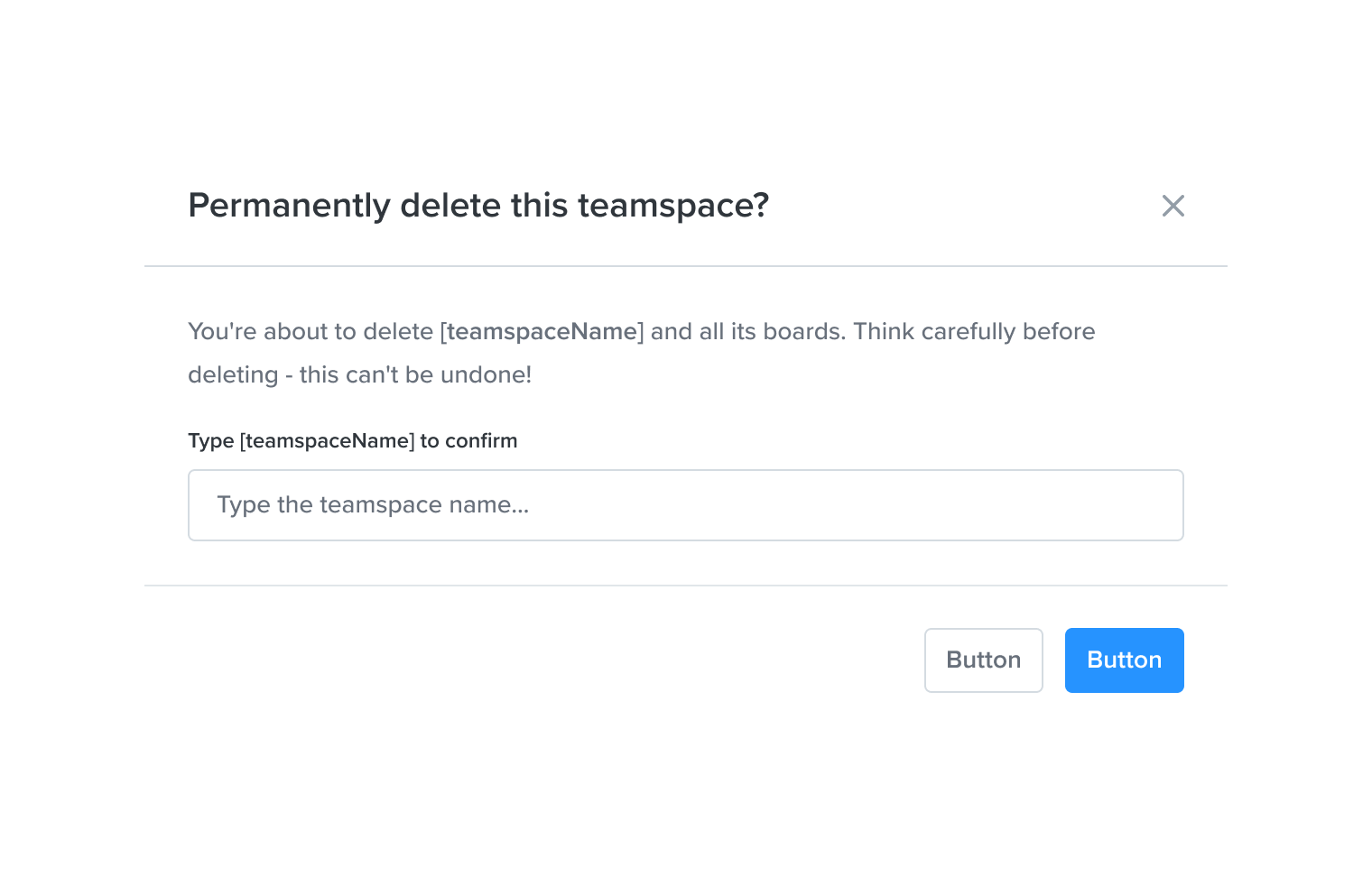
Modal w/secondary section (destructive action)
Modal contains secondary section to prevent accidental deletion (more destructive here than previous example because this teamspace includes boards).
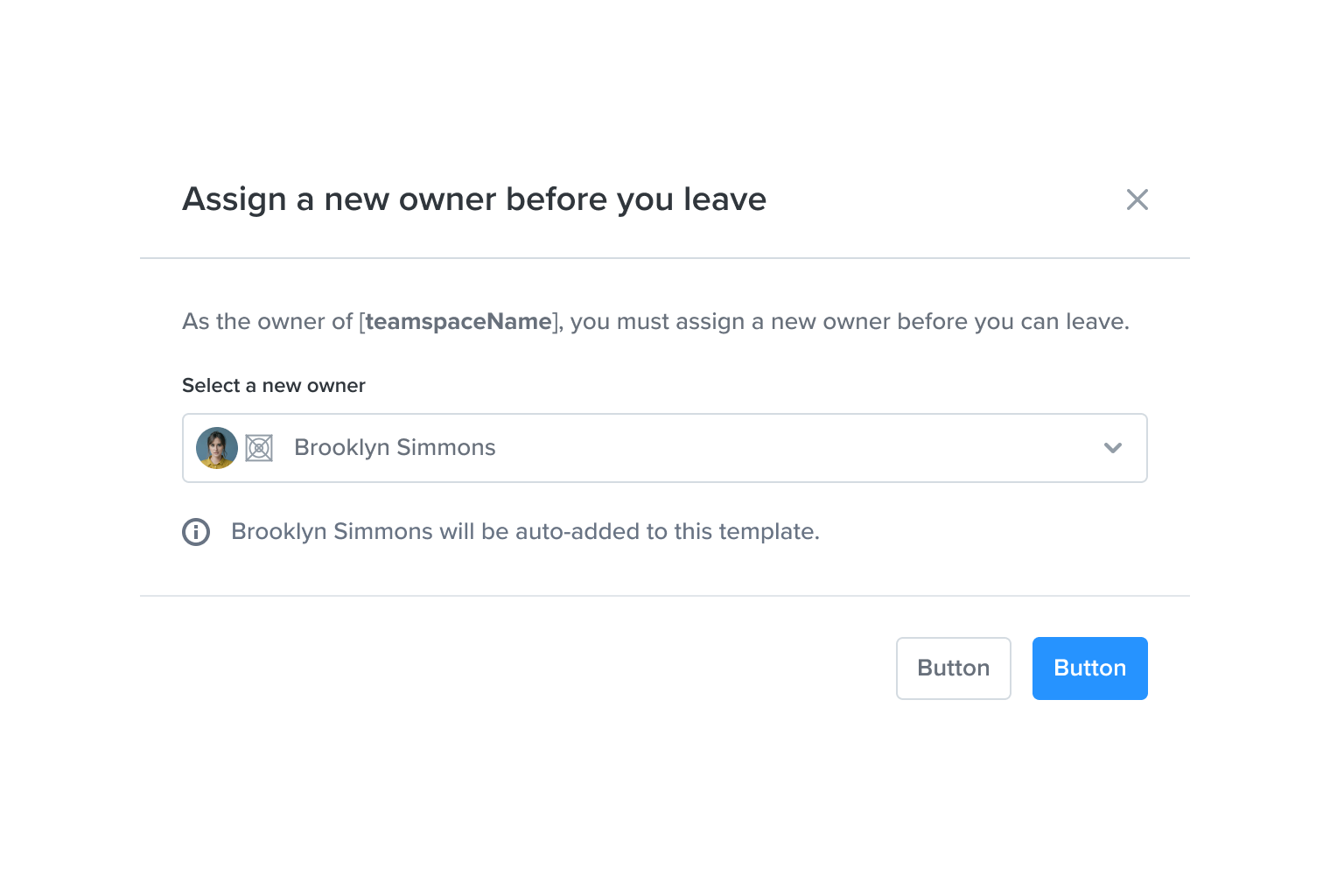
Modal w/secondary section (compound action)
Modal with secondary action and informational alert in footer.
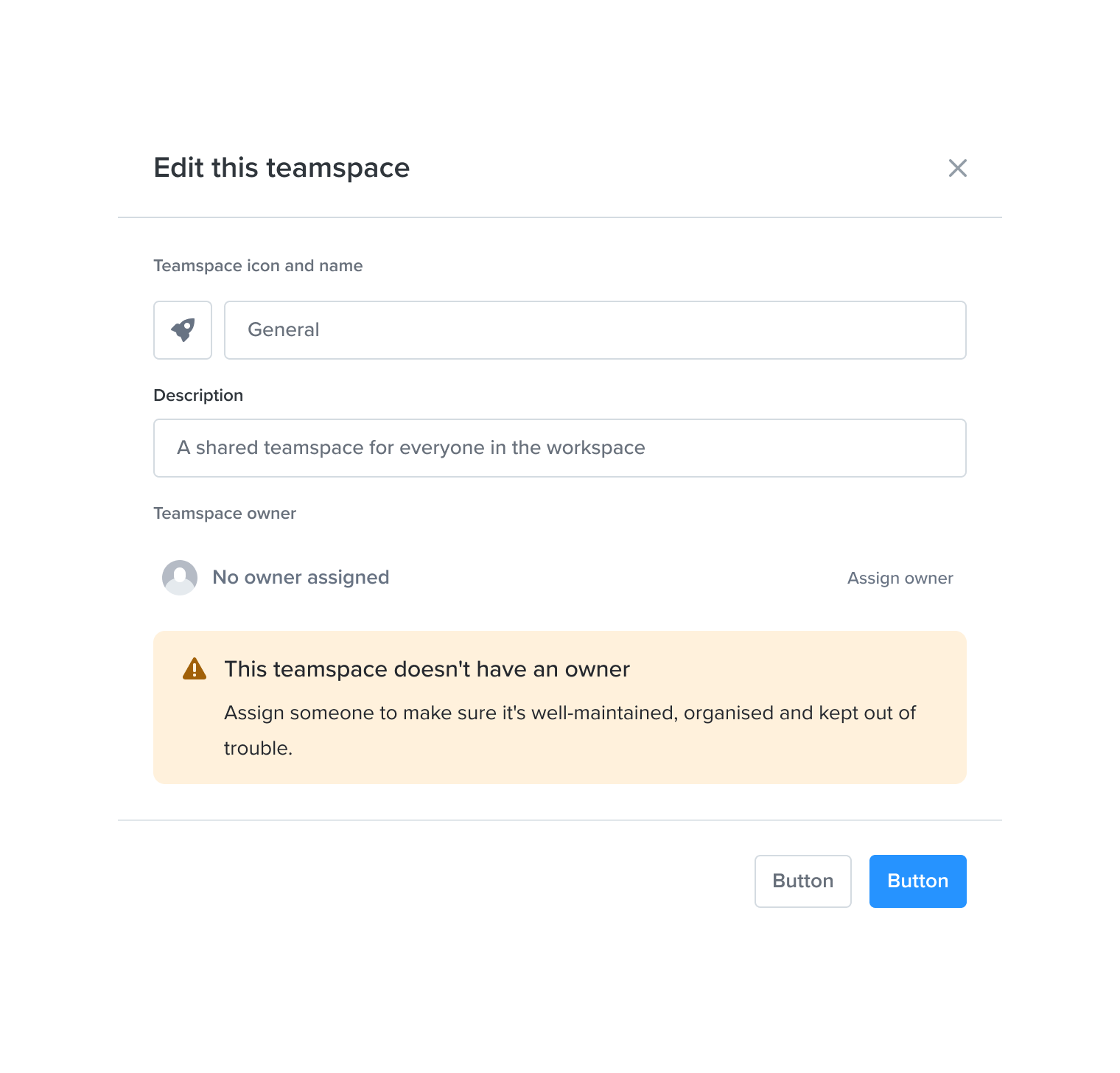
Modal with optional primary and secondary actions
Some modals allow the uesr to make optional changes. Still, we must inform them necessary information to make decisions.